
Tangor Sketch
Parametric driven sketching for technical layouts.
A 2D drawing program in the spirit of a CAD sketch environment: every line, arc and point is driven by constraints and named parameters. Change one dimension and the whole drawing follows. It's built for technical drawing, laser cutting and CAD sketching.
A development preview, rebuilt from the latest code. Nothing to install, and your sketches stay on your computer.
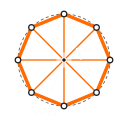
Precision you can edit
Dimensions and relationships are part of the drawing, not notes on top of it.
Geometry that holds its shape
Coincident, tangent, parallel, perpendicular, equal, symmetric, distance and angle constraints keep a sketch exactly as designed while you drag it.
Named values and expressions
Drive dimensions from a parameter table with units (mm, in, deg), functions and conditionals, then resize a whole part by changing one number.
True-scale SVG and DXF
Send drawings straight to a laser cutter or into other CAD tools at exact size.
The sketching basics
Lines, rectangles, circles, arcs, polygons and slots, plus fillet, chamfer, trim, extend and full undo/redo.
One engine, every screen
The core is written in Rust and compiled to WebAssembly, so the desktop app, the browser and future tablet builds share the same engine.
Plain files and a command line
Sketches are saved in the readable .tangor format, and the sk tool validates, solves and exports them without the editor.
See what's locked down
The solver counts the degrees of freedom left in a sketch and colors every element by its state, so you can tell at a glance what still needs a dimension.
Fully constrained
Locked down by parameters, drawn in Paper White.
Under-constrained or active
Still free to move, or being edited, glows Vivid Tangerine.
Construction geometry
Alignment-only lines are dashed Muted Slate and never reach the laser.
Scriptable from day one
Check a drawing, list its parameters, or export a variant with different values, all without opening the editor.
# structure, parameters, does it solve?
$ sk validate plate.tangor
# export a 60 mm wide variant as true-scale SVG
$ sk export plate.tangor --set width=60mm -o plate-60.svg
# true-scale DXF for the laser
$ sk export plate.tangor --format dxf
Where it's headed
Built in milestones, each one usable on its own.
- M0 · SolverConstraint solver and drag benchmark, native and in WebAssembly.
- M1 · First usable sketcher (now)Drawing tools, parameter table, save and load, SVG and DXF export, macOS desktop and web.
- M2 · Laser-readyLayers, styles and fills, profile detection, kerf offset, configurations and CSV parameters.
- M3 · Multiple sketches and importsProjections, DXF, SVG and image references, splines, ellipses, offset, mirror and patterns.
- M4 · Drafting and textSheets, annotation dimensions, PDF output, and outline and single-stroke text.
- M5 · Scripting and tabletsGenerators and macros, version history, iOS and Android.